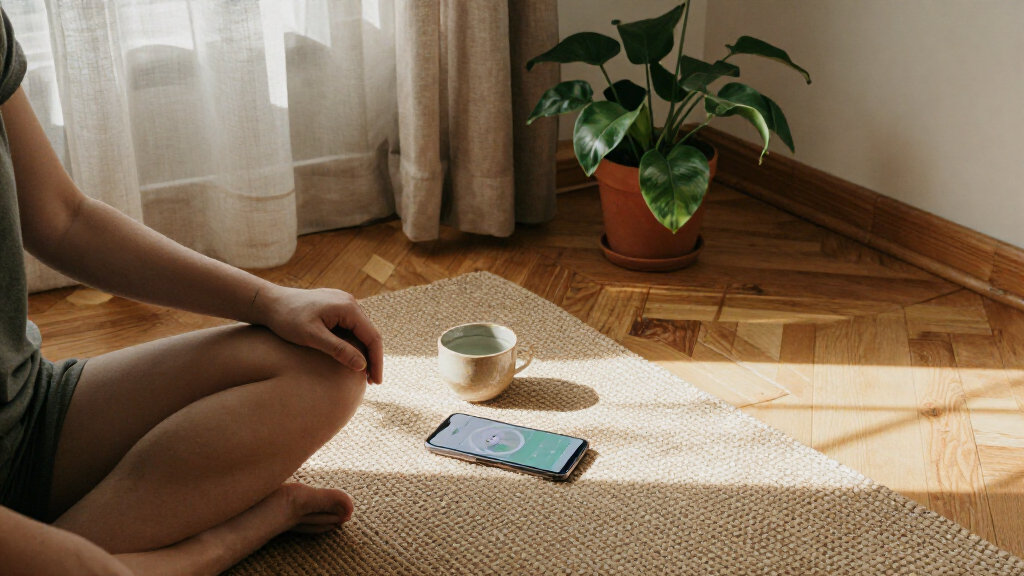
TL;DR
Meditation and mindfulness apps offer guided audio, timers, breathing exercises, sleep content, and reminders that can help you build a practice. Research suggests app-based mindfulness may ease stress or anxiety symptoms for some people, but results vary, and an app is not a substitute for professional care. Start with a short session, check privacy and pricing, and pause if practice causes distress.
Your phone can lead you through a quiet breathing exercise—or nudge you with a streak reminder while you are already stressed. Meditation and mindfulness apps can make it easier to try a practice at home, on a lunch break, or before bed, but their features and promises vary.

Give the gift of listening to someone you love
- Choose a 1-, 3-, 6- or 12-month membership
- They pick the audiobooks they love
- Easy to send by email
These apps use guided audio, timers, reminders, and short courses to help people practice attention and relaxation. Some also offer sleep stories, breathing exercises, calming sounds, yoga, or journaling. This guide explains what apps do, what research can and cannot tell you, and how to choose one that fits your routine, budget, and comfort.
Think of an app as a recipe card, not the meal: it can show you what to try, but your experience comes from the practice itself. A five-minute session between meetings may suit you better than a polished 30-day challenge you never open.
Start with a short beginner session and see whether the instructions feel comfortable and clear.
Compare current pricing, free access, teacher styles, accessibility, and privacy practices before subscribing.
Research suggests possible benefits for some people, but app results vary and do not prove an app can treat a condition.
Turn off reminders or tracking if they make practice feel like a chore.
Pause and seek qualified support if meditation increases distress or feels harmful.
What meditation apps offer when you press play
Meditation and mindfulness apps are phone or tablet programs that guide short practices through audio, video, timers, and reminders. They give you a starting point when you are unsure what to do with a few quiet minutes. Many include beginner courses, breathing exercises, sleep stories, or calming sounds alongside meditation.
Popular examples have included Calm, Headspace, Insight Timer, Ten Percent Happier, and Smiling Mind. Their catalogs, prices, and availability can change, so check current details before choosing. Some apps take a secular, general-wellness approach; others draw on particular teachers or traditions. That difference can shape the words, rituals, and style you hear.
For example, if you have never meditated, a gentle voice saying, “Notice your feet on the floor, then follow three breaths,” can make the first attempt less awkward. A timer may suit you better if you already know how you want to practice. The app is a bit like a walking map: it can suggest a route, but you decide your pace and whether that path feels right.
Many apps also use reminders and progress tracking. These features may help you remember a session, though a streak counter can feel more like a scoreboard than support. Try the features that make starting simpler and ignore the ones that add pressure.
Products Worth Considering

Garmin Forerunner 265S Running Smartwatch, 42 mm, Whitestone/Neo Tropic

Blueair 2-in-1 Pro DH5i Air Purifier and Humidifier

BowFlex Results Series SelectTech Adjustable Dumbbells (Pair)
As an affiliate, we earn on qualifying purchases.
What research says—and what it cannot promise
Meditation and mindfulness apps may help some people manage perceived stress, anxiety symptoms, mood, or attention, but results differ from person to person. Research on mindfulness practices points to potential benefits, and studies of app-based programs have reported benefits too. Those findings do not mean every app works for everyone, or that an app treats a mental-health condition.
The evidence has limits: some studies last only a short time, rely on participants’ own reports, or involve small groups. An app’s effect may also differ from a structured program led by an instructor. When a company makes health claims, look for transparent information about who studied the app, how many people took part, and how results were checked. A glowing review can tell you that someone liked the app; it cannot prove that the app provides treatment.
Say you use a five-minute breathing track each afternoon and notice you feel a little less tense before a meeting. That is a useful personal observation, but it does not establish that the app will reduce someone else’s anxiety or replace care. A calmer moment is worth having on its own terms.
Meditation can also feel uncomfortable. Some people notice heightened anxiety, difficult memories, or other distress during practice. If that happens, stop or shorten the session and seek qualified support if you need it. An app should not pressure you to push through a practice that feels harmful.
Compare apps by fit, cost, and privacy
The best meditation app for you is the one you can use comfortably and afford, with a teaching style that makes sense to you. A crowded library may look impressive, but a clear five-minute beginner session could be more useful on a busy weekday. Compare the practical details before you sign up.
| What to compare | What to check | Why it matters |
|---|---|---|
| Price and free access | Which sessions are free, what a subscription costs, and when billing begins | A trial can become a charge if you miss its end date |
| Teaching and access | Session length, teacher voices, languages, captions, and beginner guidance | You need instructions you can follow in the place and time you have |
| Reminders and tracking | Whether notifications can be changed and progress tracking turned off | Encouragement helps some people; streaks bother others |
| Privacy | What personal data the app collects, uses, or shares | Wellness habits and account details deserve a careful look |
| Health claims | Whether claims have credible, transparent evidence | Testimonials alone do not show that an app treats a condition |
Picture a commuter choosing between a free app with a few short tracks and a subscription with hundreds of sessions. If all they want is a quiet pause on the train, the smaller library may be enough. Someone who wants different teachers, languages, or course formats might value a broader catalog.
Before entering payment details, check the current price, renewal terms, permissions, and privacy policy. If you use workplace or health-system access, read its terms too. Convenience matters, but so does knowing what you are agreeing to.
Start with a short routine you can actually repeat
You can begin using a meditation app with a few minutes, a comfortable seat, and one simple goal. A small routine is easier to fit into a real day than an ambitious plan that depends on perfect silence. You do not need special equipment or experience; for many guided sessions, your phone and a place to pause are enough.
- Pick a moment you already have, such as after lunch or before brushing your teeth.
- Choose a short beginner session with clear instructions, perhaps three to five minutes.
- Get comfortable in a chair, on a sofa, or standing still; follow the guide at your own pace.
- Notice how it feels afterward, without judging yourself by a streak or a perfect level of calm.
- Adjust or stop if the practice feels uncomfortable, and try another format only if you want to.
For instance, imagine you have ten minutes before your next video call. You open a short breathing track, let your shoulders drop, and follow the guide for four minutes. The room may still be noisy and your inbox may still be full; the routine only needs to give you a workable pause.
Consistency can be more manageable than duration, but there is no universal daily minimum. If a reminder becomes another demand, turn it off. The useful question is whether the practice fits your day and feels comfortable enough to revisit.
Use new features without handing over your judgment
Meditation apps increasingly offer personalized suggestions, short on-demand sessions, and broader wellness libraries with sleep, movement, or journaling content. Some services also work through employers, insurers, or health providers, and wellness products have begun exploring AI-assisted guidance. These are industry trends, not features you will find in every app.
Personalized suggestions can save time when you want a quick wind-down track instead of scrolling through hundreds of choices. But a recommendation based on your use patterns is not the same as a clinician’s assessment. Likewise, an AI feature may sound conversational without being equipped to handle a crisis or give reliable treatment advice.
Consider someone who types into an app that they feel panicked at night. A breathing exercise may offer a simple way to pause, but the app should not be treated as a complete response to serious or ongoing distress. Check whether the service explains its limits and points people toward qualified help when appropriate.
As you explore, review what data an app collects and how it uses or shares that data. Pay attention to health claims, accessibility, and whether the content suits your beliefs and preferences. Useful technology should make it easier to choose a practice; it should not make you feel that an algorithm knows what you need better than you do.
Know when an app is support, not care
A meditation app can support a general-wellness routine, but it does not provide the individualized assessment and treatment that a qualified professional can offer. If you have persistent or severe distress, speak with a healthcare professional about the support that fits your situation. Use an app as one possible part of self-care, not as a substitute for care you need.
That boundary can be easy to miss when an app describes content as being “for anxiety” or “for better sleep.” A gentle wind-down track may help one person settle after a long shift, while another person’s sleep trouble may call for medical advice. Marketing language does not establish treatment effectiveness; look for clear, credible evidence and an honest description of limits.
Pay attention to your own response during and after a session. If focusing inward brings up difficult memories, makes anxiety worse, or leaves you feeling unsafe, stop the exercise and seek qualified support. You can try a less inward-focused practice, such as noticing sounds around you, only if that feels comfortable.
If you or someone else is in immediate danger, contact local emergency services or a crisis service. A meditation app cannot respond to an emergency. It can offer a small moment of guidance, but human support is the right next step when the situation calls for it.
Frequently Asked Questions
Do meditation apps actually work?
They can help some people build a routine and may ease perceived stress or anxiety symptoms. Results vary, and short studies or self-reported results cannot promise the same effect for every user.
Which meditation app is best for beginners?
There is no single best choice. Look for clear instructions, short introductory sessions, a teaching style you like, and an affordable way to try it; check current features and prices because they can change.
Can a meditation app help with anxiety or depression?
An app may support general well-being for some people, but it does not replace assessment or treatment from a qualified professional. If practice increases distress, pause and seek appropriate support.
How long should I meditate each day?
There is no universal minimum. You could try a few minutes and see whether it fits your routine; shorten or stop if the practice feels uncomfortable.
Are free meditation apps available?
Many apps offer some free content, while others reserve courses or larger libraries for paid plans. Check current terms, trial dates, and renewal prices before subscribing.
Are meditation apps safe and private?
Many people use them without difficulty, but meditation can bring up uncomfortable feelings. Review the app’s data practices and permissions, and stop a practice that feels harmful.
Conclusion
Choose an app that makes a small, comfortable practice easy to begin. Check its price and privacy terms, try a short session, and pay attention to how you feel rather than how many days you have logged.
A good guide can help you find a quiet minute. The minute itself is yours.